How we work
The tools behind your IT support.
Good IT support depends on good systems. Here’s what GEEKAY Tech uses to look after your business, how it all fits together, and what each part means for you.
From request to resolved
How a support request works.
You raise it
Through the Client Portal, by emailing support@geekay.tech, or by calling 03 4250 9610 if it’s urgent.
It becomes a ticket
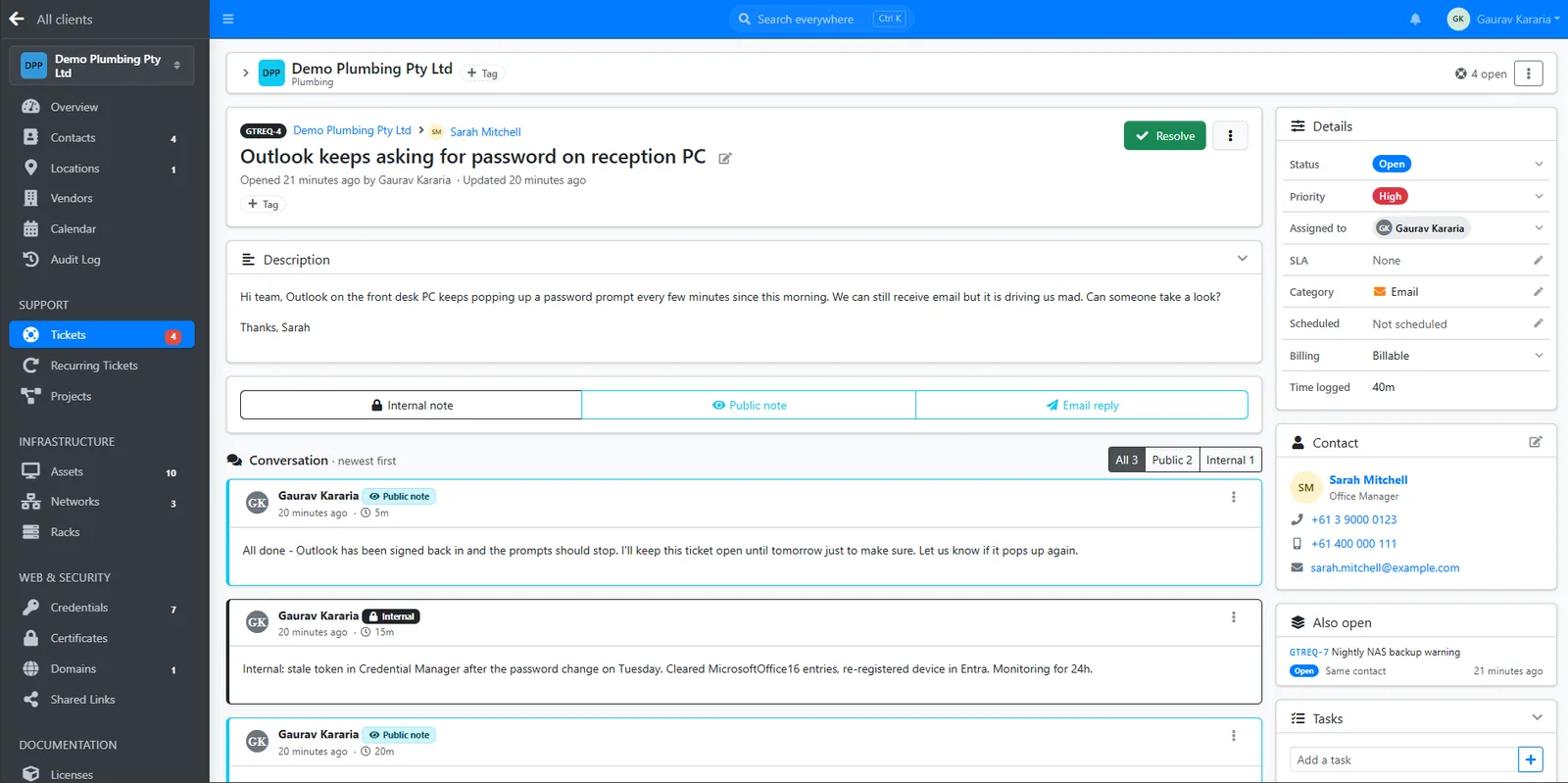
ITFlow logs it and you get an email confirming we have it, with a ticket number.
We fix it
Remotely, with your permission and you watching, or onsite if it needs hands on the equipment.
It’s documented
What was wrong and how it was fixed is recorded against your business, so it’s quicker next time.
You’re kept informed
You get updates as it progresses and a summary when it’s closed.
Read the video text
For Melbourne businesses: Something broken? Here’s what happens when you call GEEKAY Tech. 1. You log it: Client Portal, email or phone. 2. It’s tracked: a ticket number, so nothing gets lost. 3. We fix it: remotely, often the same day, onsite if needed. 4. You’re kept updated until it’s closed, and it’s documented for next time. Get your IT sorted at geekay.tech. Melbourne, on-site and remote.
Client Portal & service desk
ITFlow: every request tracked, every system documented.
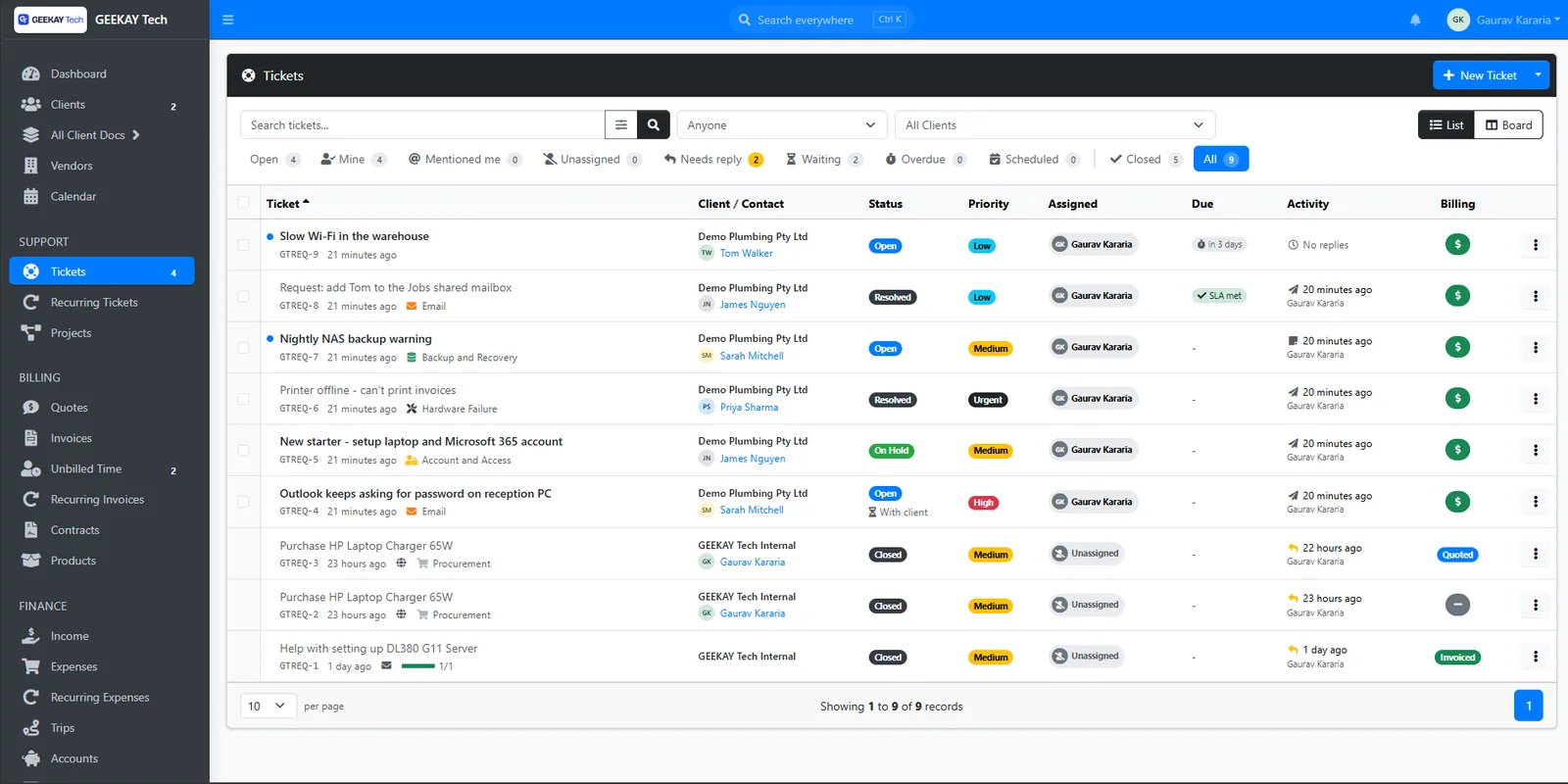
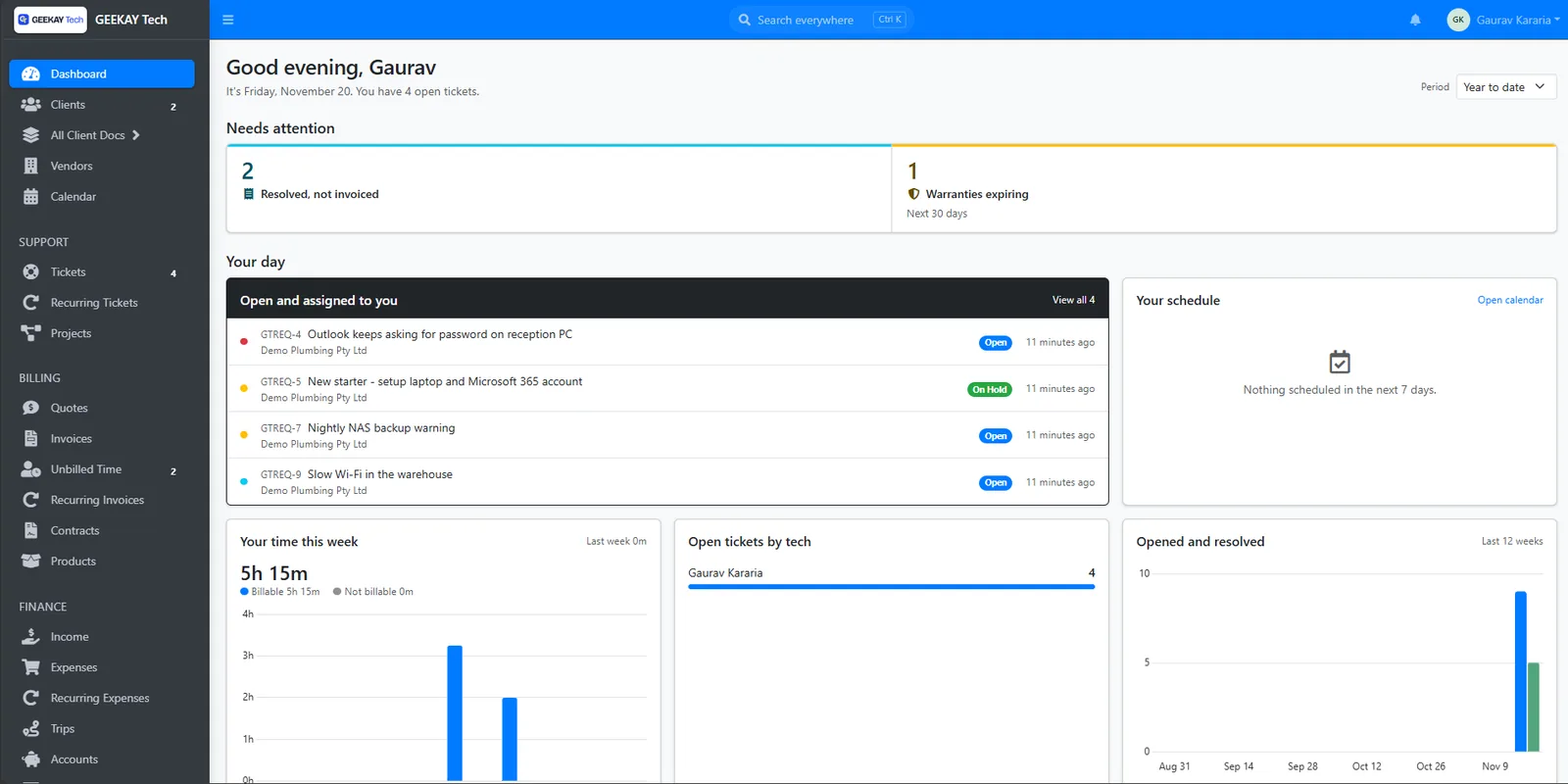
ITFlow is the system at the centre of GEEKAY Tech. It runs the Client Portal at support.geekay.tech, the ticketing system behind support@geekay.tech, and the documentation for every business we look after. It’s hosted on a secured server managed by GEEKAY Tech, so your information isn’t sitting in someone else’s ticketing service.
- Tickets: every request from the portal, email or phone is logged, prioritised and tracked to completion.
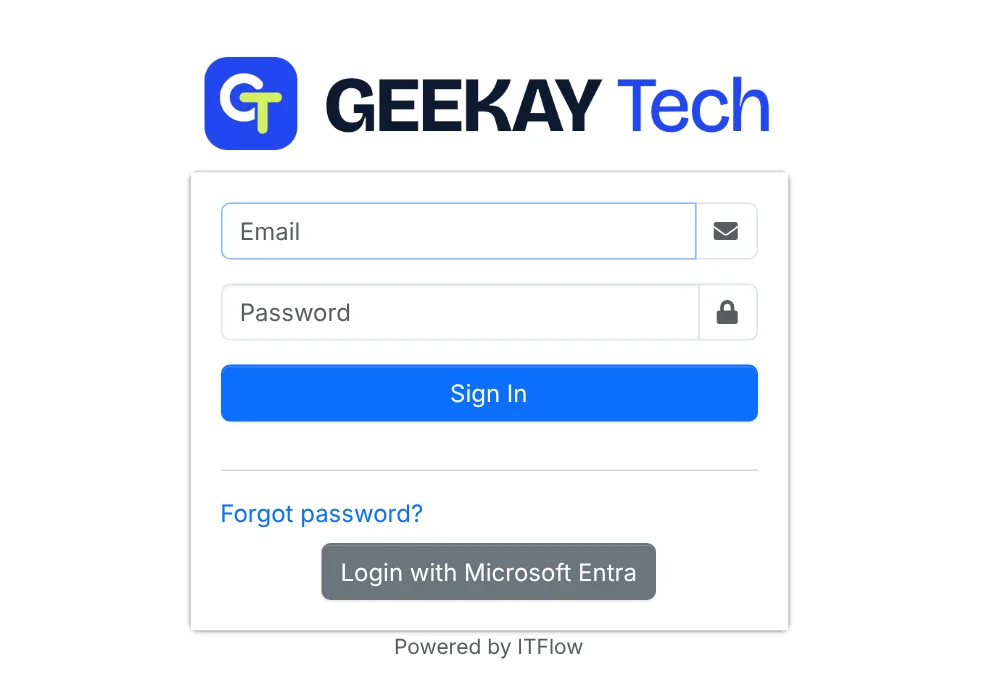
- Client Portal: your staff can raise requests and check progress at any time, and sign in with their Microsoft 365 work account.
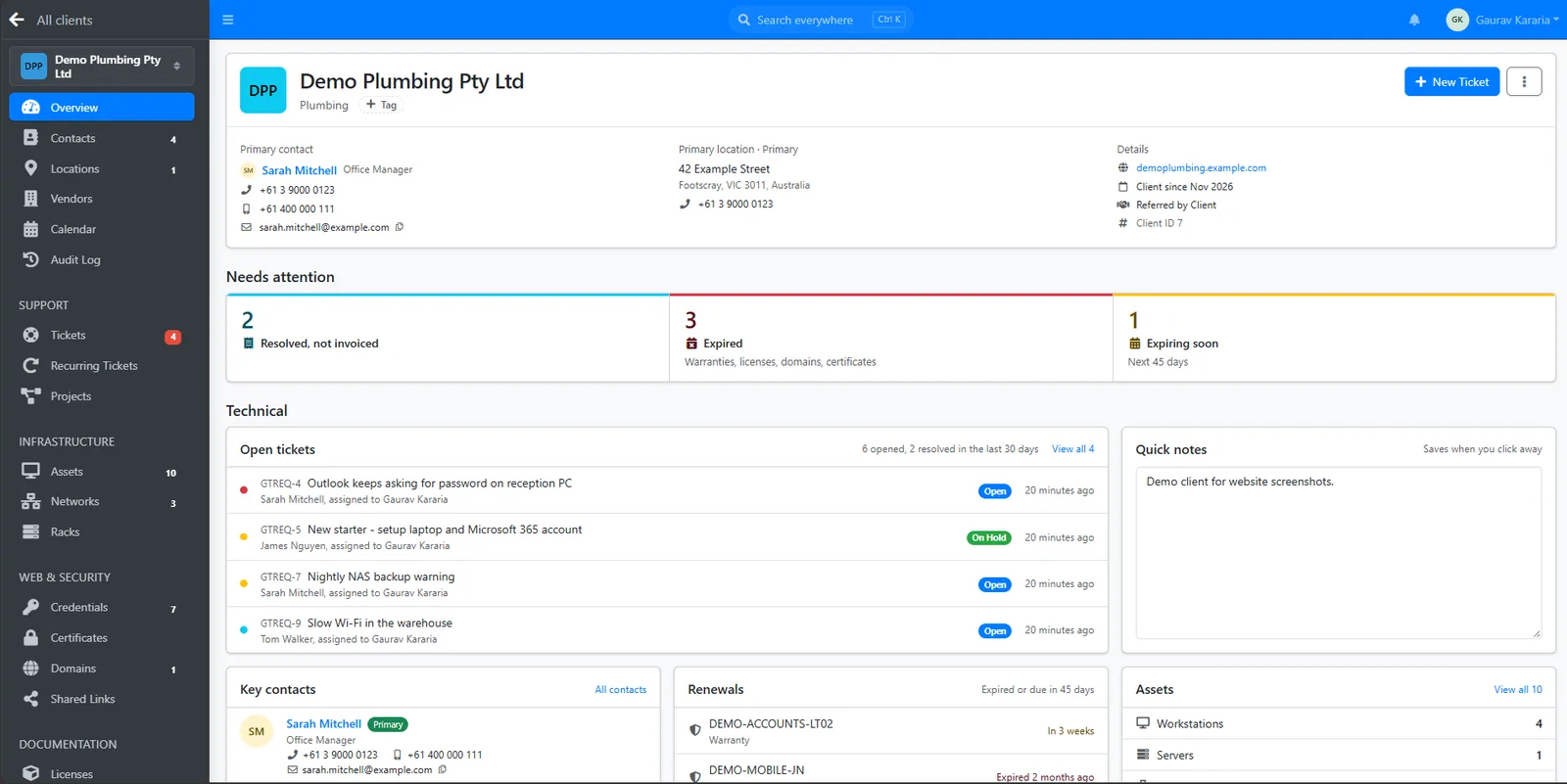
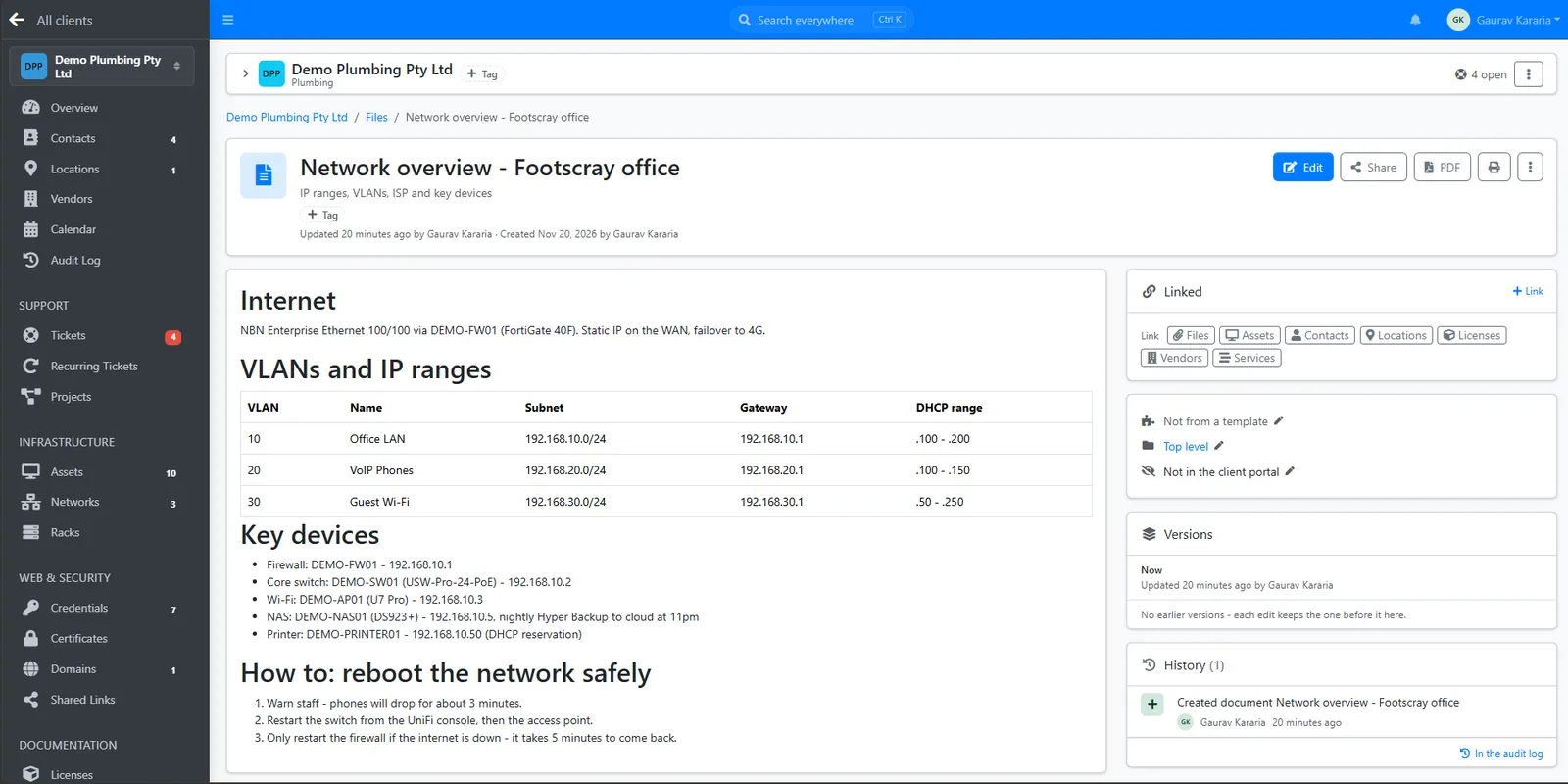
- Documentation: your devices, network, software, licences and suppliers recorded in one place.
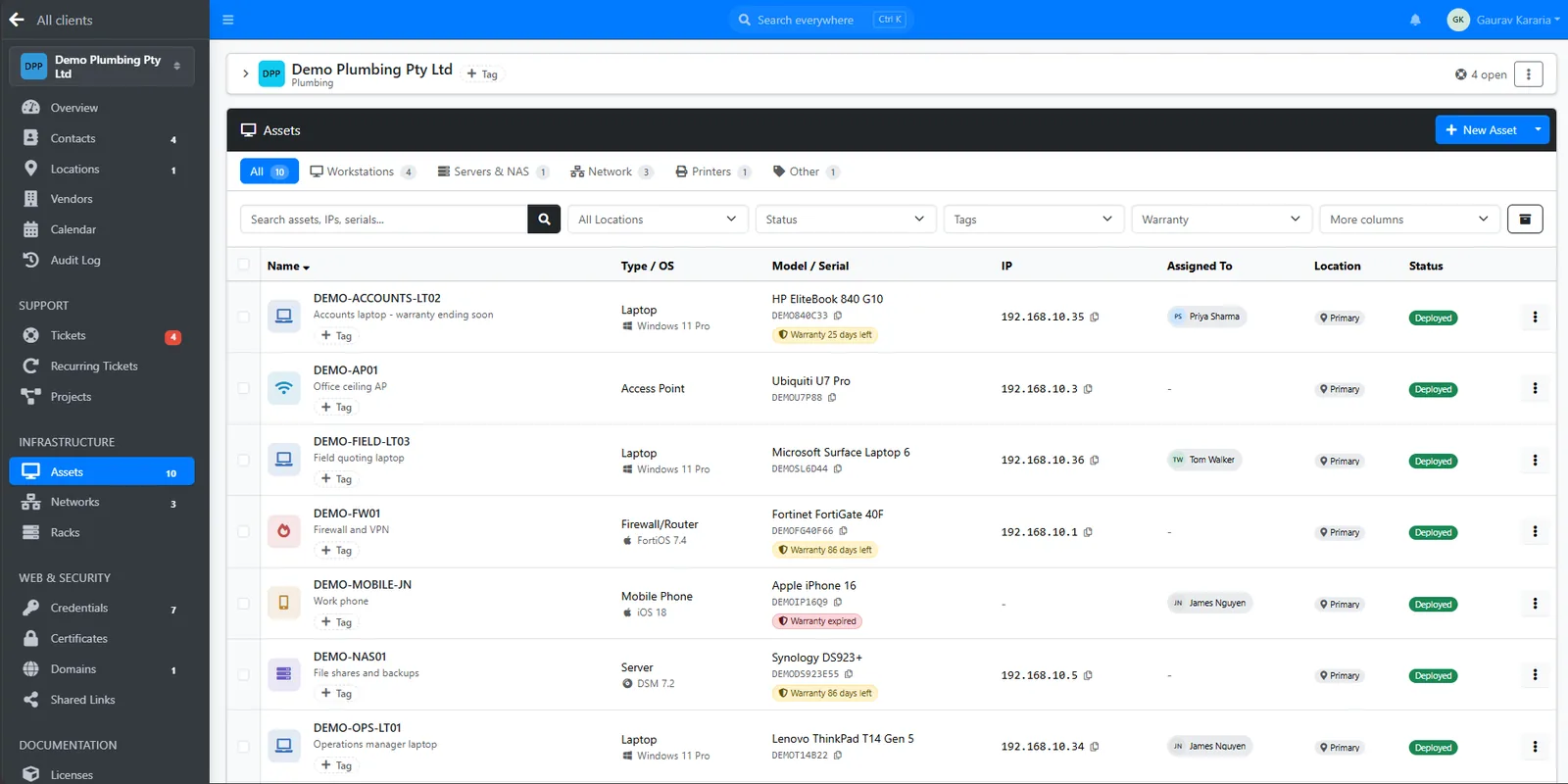
- Asset and warranty tracking: know what you own, who has it, and when it’s due for replacement.
- Secure credential storage: the passwords we manage for you are stored encrypted, never in spreadsheets or emails.
- Quotes, invoices and contracts: all in one place, with your invoices and payment history visible in the Client Portal.
What this means for you
- Nothing gets lost in an inbox, and you can see where every request is up to.
- Problems get fixed faster because your setup is already documented.
- Your IT knowledge belongs to your business, not to one person’s memory.
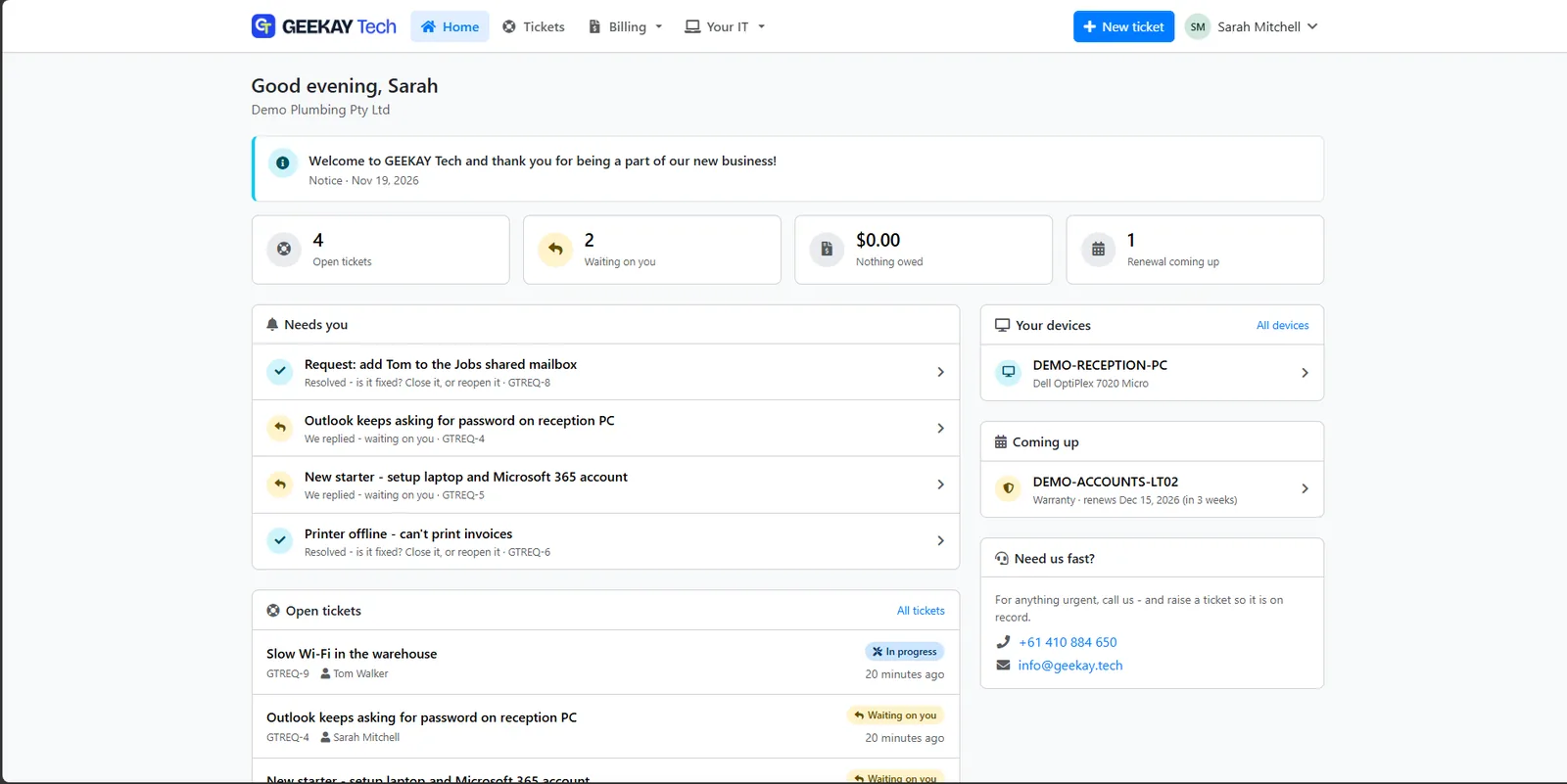
Client Portal
What your team sees.
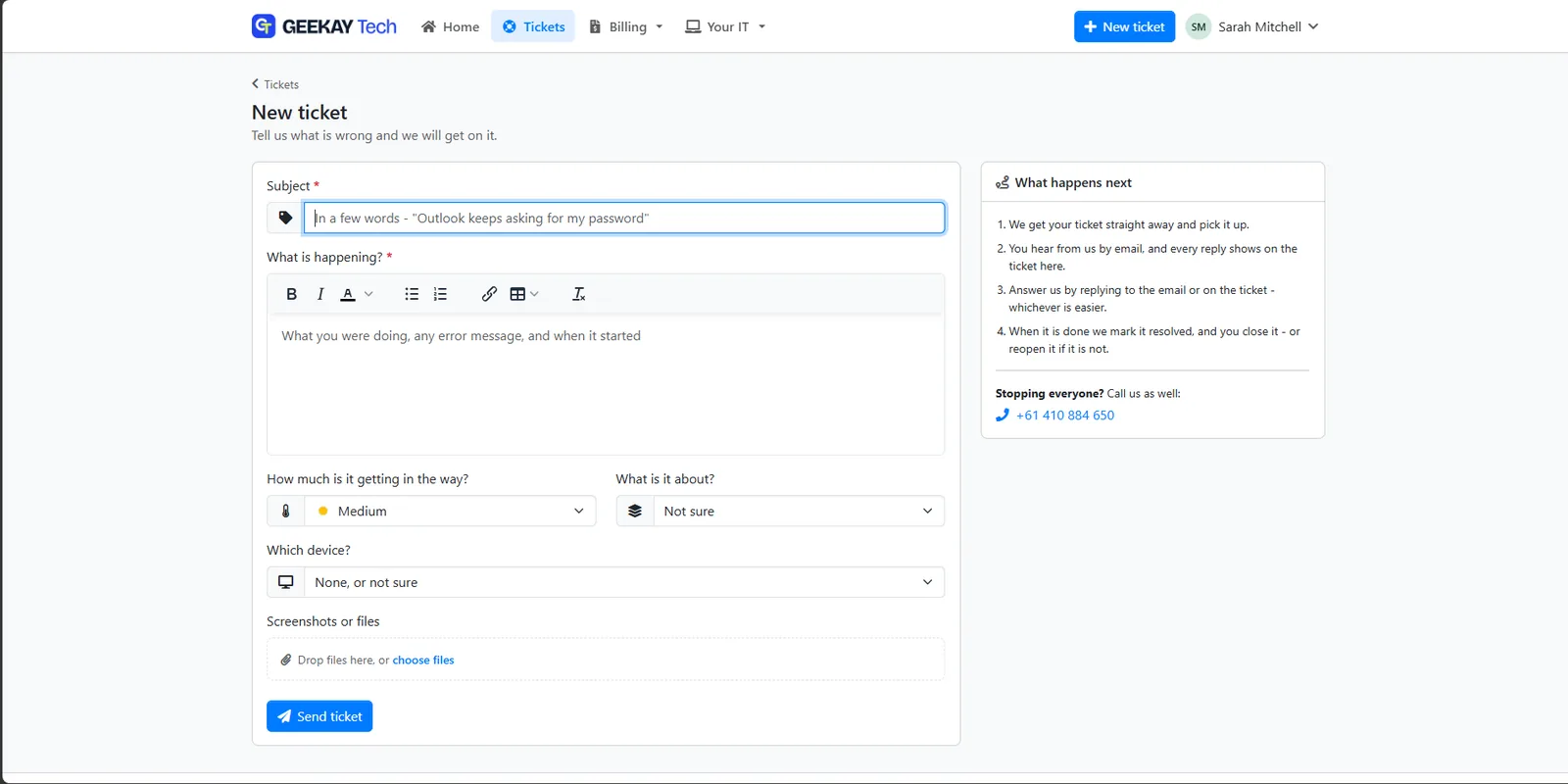
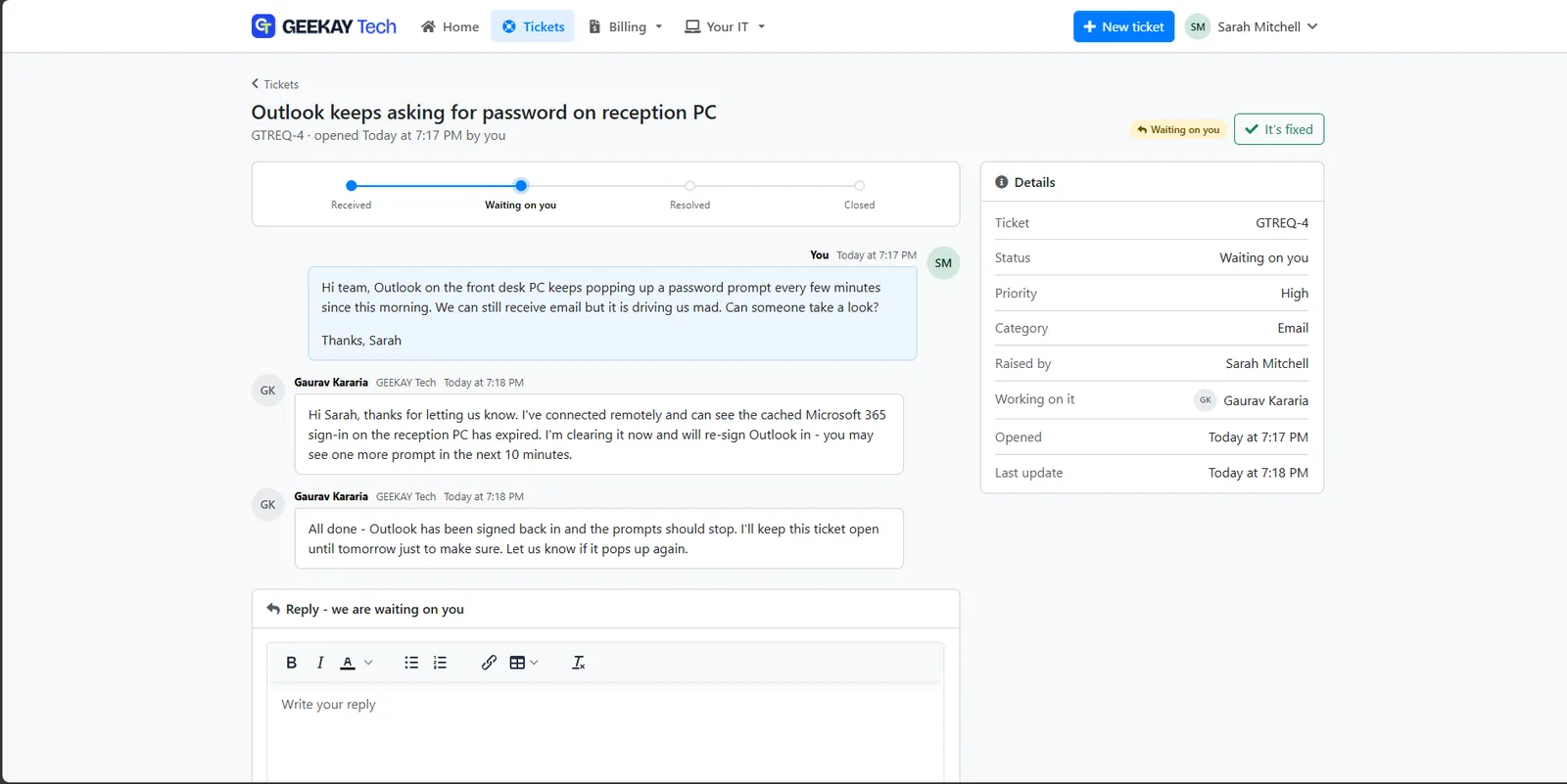
Your staff get their own view of GEEKAY Tech at support.geekay.tech. They can raise a request, follow its progress, reply, and see their devices and upcoming renewals, all in one place and signed in with their Microsoft 365 work account.
Microsoft 365 administration
Microsoft 365, managed properly.
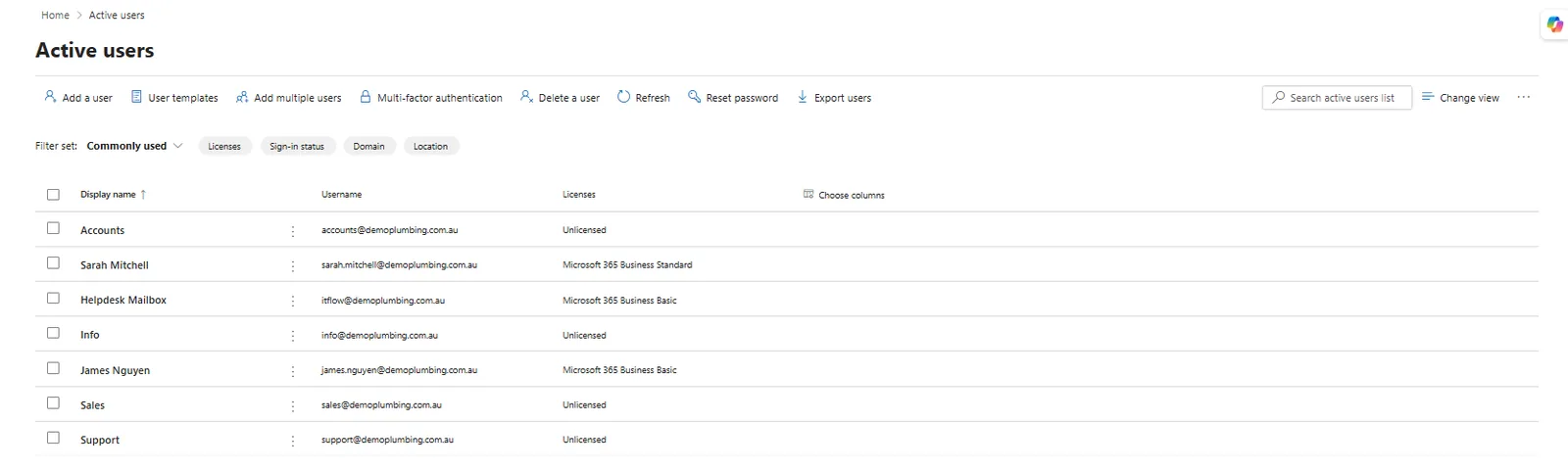
For most small businesses, Microsoft 365 is the IT: email, files, Teams, and the accounts that unlock everything else. GEEKAY Tech manages it with Microsoft’s own admin tools: the Microsoft 365 admin centre, Entra ID for accounts and sign-in security, Exchange Online for email, Intune for devices and Microsoft Defender for security.
- Licences supplied and managed by us as a Microsoft CSP partner
- Users, mailboxes, shared mailboxes, licences and permissions
- Multi-factor authentication and conditional access for every account
- Email authentication (SPF, DKIM, DMARC) so your mail is trusted and can’t be spoofed
- Intune policies for device encryption, updates and screen locks
- Daily Microsoft 365 backup of email, OneDrive, SharePoint and Teams
What this means for you
- New starters are ready on day one; leavers lose access on their last day.
- You pay for the right licences, not the most expensive ones.
- Accounts are protected against the most common cause of breaches: stolen passwords.
Remote management & support
Level: your computers looked after in the background.
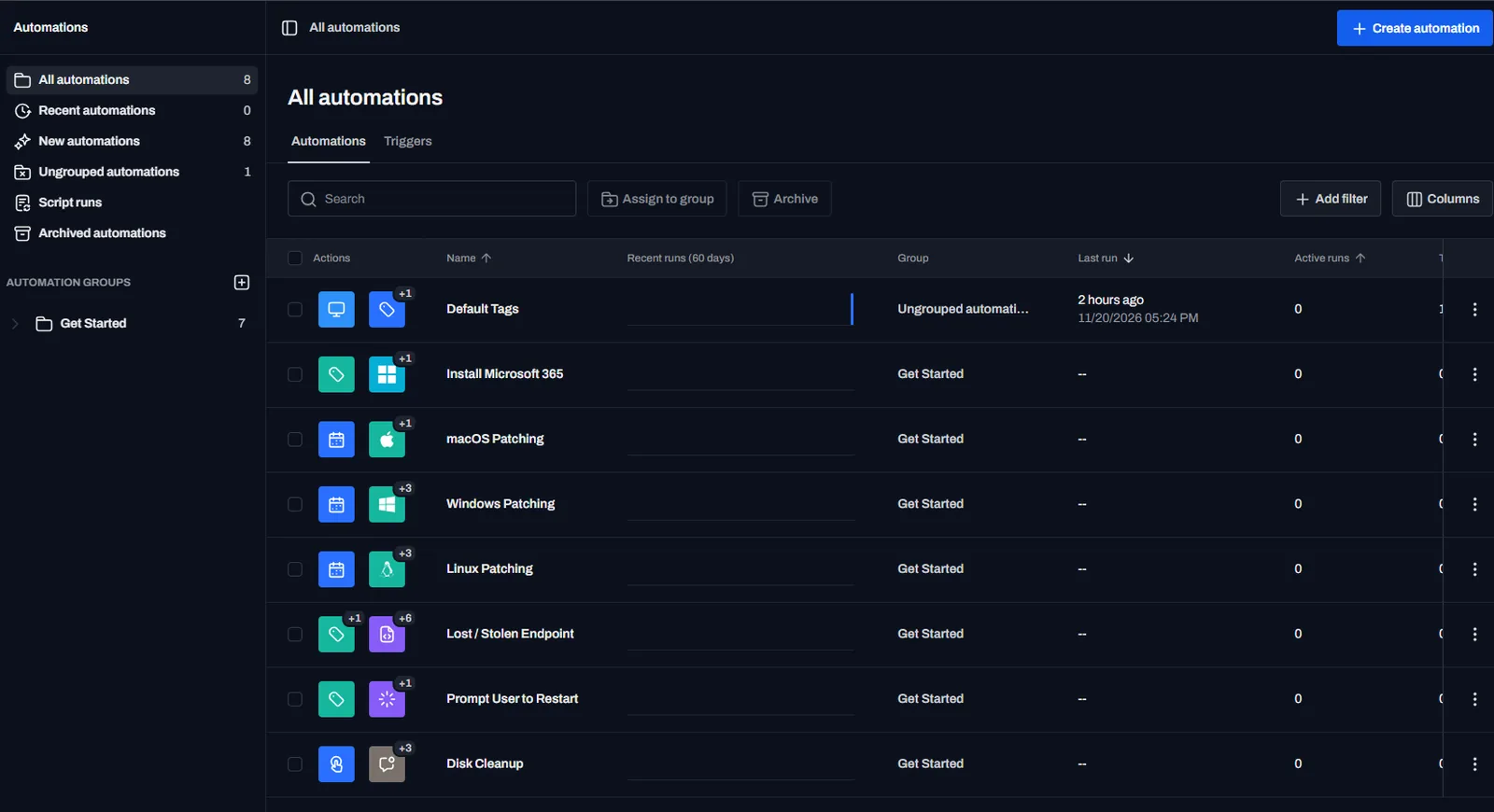
Every computer on a managed plan runs the Level agent, a remote monitoring and management (RMM) platform. It lets GEEKAY Tech keep an eye on device health, install updates and fix problems remotely, usually without interrupting anyone. When we need to see your screen, we’ll ask first.
- Monitoring and alerts: low disk space, failed updates, offline devices and other warning signs are flagged so they’re fixed before they cause downtime.
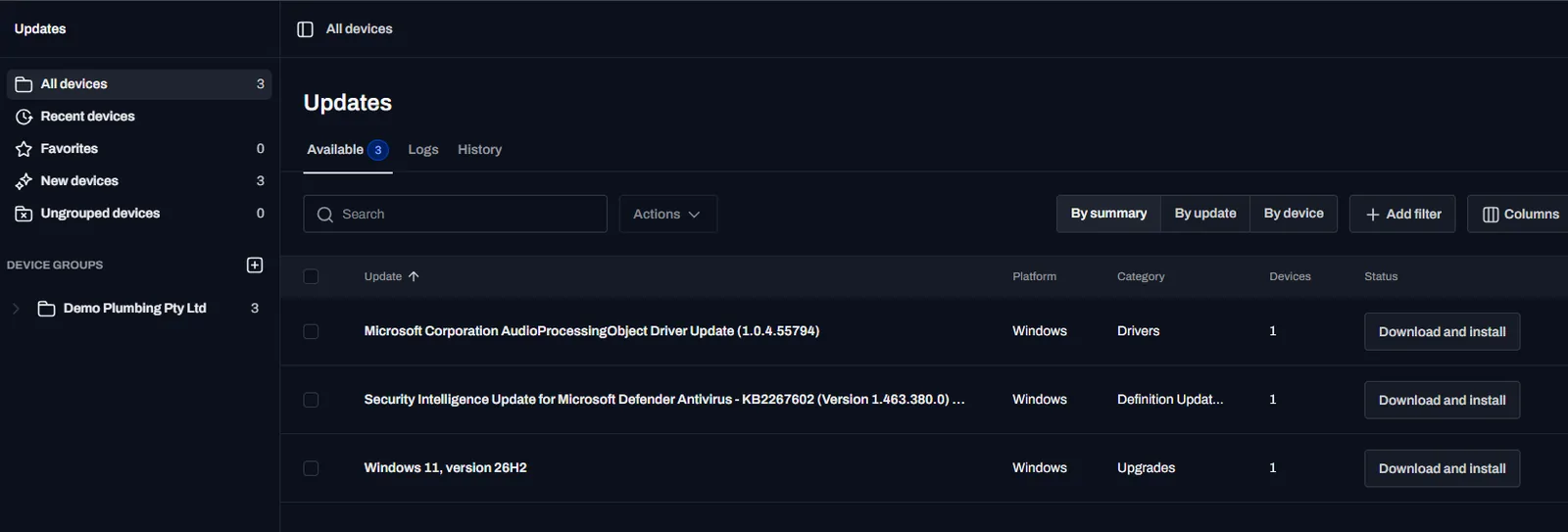
- Patch management: Windows, macOS and third-party application updates are scheduled, installed and checked.
- Automation: routine maintenance and fixes run automatically and consistently across every device.
- Remote control: secure remote access to Windows and Mac computers when hands-on help is needed.
- Quick Assist for one-off help on Windows computers that aren’t managed yet: you read us a six-digit code and approve the connection, with nothing to install.
- iPhone, iPad and Android: screen sharing so we can see the problem and walk you through it. Apple doesn’t allow anyone to control an iPhone or iPad remotely, so on those devices we guide and you tap.
What this means for you
- Problems are often spotted and fixed before your staff notice them.
- Most issues are resolved the same day, without waiting for a visit or paying for travel.
- Every remote session and fix is recorded against your business in ITFlow.
Device protection
Bitdefender GravityZone on every managed device.
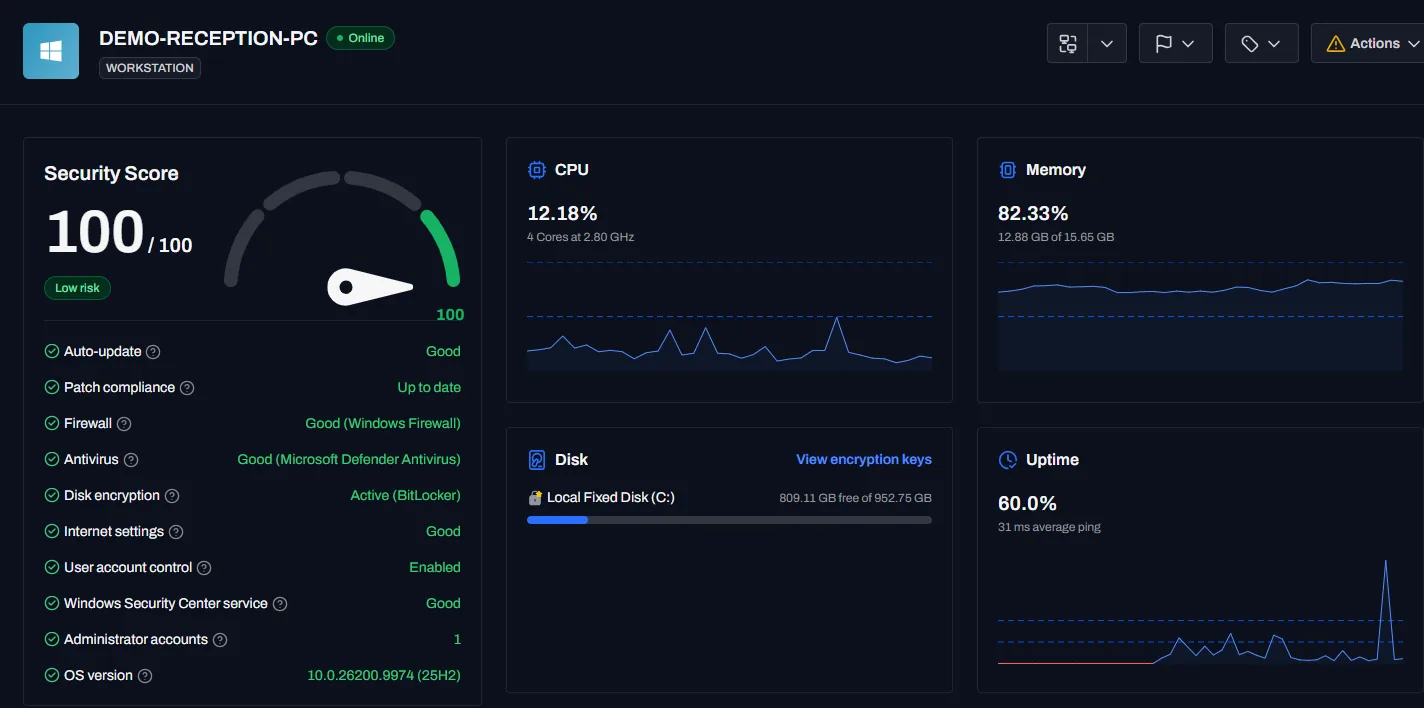
Antivirus that nobody checks isn’t much protection. GEEKAY Tech is a Bitdefender partner, and every managed Windows, macOS and server system runs Bitdefender GravityZone, business-grade antivirus and anti-ransomware that we manage and monitor centrally. Threats, failed updates and devices that have gone quiet are picked up and dealt with, often before you notice anything.
- Bitdefender GravityZone: malware and ransomware protection, web and phishing protection, and threat alerts, all managed from one console
- Microsoft Defender kept as a second layer, as not every business uses Microsoft 365 Business Premium
- Endpoint Detection & Response (EDR) available as an add-on, for behavioural detection and incident timelines
- Automatic Windows and macOS updates through Level, with failures followed up
- Device encryption, so a lost or stolen laptop doesn’t mean lost data
- Alerts reviewed and acted on, not just collected
What this means for you
- Fewer infections, and a fast response when something does get through.
- A clear record of which devices are protected and up to date.
- Practical protection aligned with the ASD Essential Eight.
Networks & CCTV
Ubiquiti UniFi: one system for your network and cameras.
For networks and security cameras, GEEKAY Tech prefers Ubiquiti’s UniFi range. It gives small businesses enterprise-grade equipment and central management without ongoing licence fees, and it’s all managed from one place, so most issues can be fixed remotely.
UniFi networking
- Gateways and firewalls, switches and Wi-Fi access points that all work together
- Strong, consistent Wi-Fi across the whole office
- Separate networks for staff, guests, cameras and smart devices, so a visitor’s phone or a cheap gadget can’t reach your business systems
- Monitored and managed remotely from a single dashboard
- No subscription fees for the management software
UniFi Protect CCTV
- High-resolution cameras with people and vehicle detection
- Footage recorded onsite to your own recorder, not to someone else’s cloud
- Live view and playback from the UniFi Protect app on your phone
- No monthly cloud recording fees
- Runs on the same network as everything else, so one provider looks after it all
- GatewayFirewall and internet connectionOnline
- Switches2 switches, 30 connected devicesOnline
- Wi-Fi3 access points, staff and guest networksHealthy
- Cameras6 cameras recording to the onsite recorderRecording
- UpdatesFirmware checked and scheduledCurrent
CCTV and Victorian law
Cameras are planned and installed with Victoria’s surveillance laws in mind, including the Surveillance Devices Act 1999 (Vic) and the Surveillance Devices (Workplace Privacy) Act 2006 (Vic). That means no cameras in toilets, washrooms, change rooms or lactation rooms, and advice on signage and letting staff know.
Cabling done properly
In Australia, new data cabling must be installed by a registered cabler. Where a job needs new cabling, it’s done by an ACMA-registered cabler and coordinated by GEEKAY Tech, so you deal with one person for the whole job.
Already have other equipment?
We can support most existing network gear. UniFi is what we recommend when equipment is due for replacement or a new site is being set up.
Partners
Working with trusted Australian and global partners.
Partnerships give GEEKAY Tech direct access to the products, support and pricing we use for our clients.
Microsoft CSP partner
As a Cloud Solution Provider, we supply and manage your Microsoft 365 licences directly, with billing on your monthly GEEKAY Tech invoice.
Microsoft 365 supportBitdefender Partner
Bitdefender GravityZone endpoint security for every computer we manage: malware and ransomware protection, web and phishing protection, and central monitoring.
How we protect devicesAussie Broadband Referral partner
Australian-owned NBN and business internet. We help you choose the right plan and connection, then set up your network around it.
GEEKAY Tech is an Aussie Broadband referral partner and may receive a referral fee if you sign up through us. It doesn’t cost you anything extra, and we’ll always recommend what suits you, even if that’s a different provider.
A closer look
Screenshots from our systems.
Real screens from the tools we use every day, shown with a demo client. Select any image to see it full size.
Fitting in with your business
Already have systems in place?
You don’t need to start from scratch. We work with what you have and only recommend changes that are worth it.
Using Google Workspace?
We can support it as it is, or plan a move to Microsoft 365 if that makes more sense for your business.
Have an existing IT provider?
We’ll organise a smooth handover: passwords, documentation and admin access transferred and checked, without disrupting your team.
Use industry software?
Practice management, accounting, booking or point-of-sale systems: we work with your software vendors so you don’t have to.
Not sure what you have?
An IT health check documents your devices, accounts, network and security, and tells you what to fix first. More on security assessments.
Tell us what you need and we’ll put a quote together.
Every quote is written for your business: your people, your devices and how you work. No obligation.